
If you’ve ever sat in front of an online quiz thinking, “I don’t even know how to start this question”, you’re not alone. Most students now bounce between a homework portal, Google, a random AI chat, and maybe a math app on their phone. It’s messy, slow, and honestly exhausting.
AI College Help was built to fix exactly that:
an AI homework Chrome extension that lives inside your browser and helps you directly on the page where your questions are.
Right now, there’s also a special discount on the paid plans, which makes it much easier to justify than yet another full-price subscription.
What Makes AI College Help Different From Other Homework Extensions?
There are a lot of “AI homework helpers” out there:
- Some are just generic AI sidebars where you copy-paste everything.
- Some only search flashcard sites.
- Others do a quick screenshot → answer, with almost no explanation.
AI College Help is more focused on real college work:
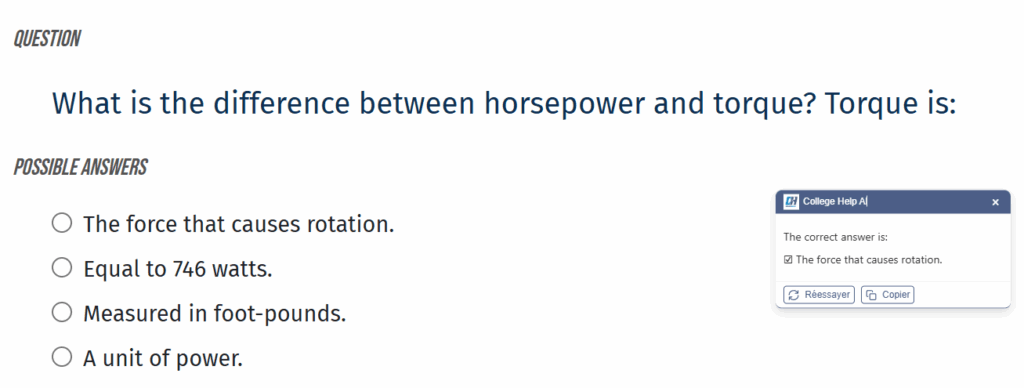
- It reads screenshots of questions (perfect for locked quizzes and homework platforms).
- It lets you highlight text and right-click to ask for help.
- It formats math and code so they’re actually readable.
- It supports multiple languages, so international students aren’t left out.
- It has a Ghost Mode that makes answer boxes low-key and discreet.
In other words, it behaves less like a gadget and more like a built-in study assistant for Chrome.
Key Features You Actually Use While Studying
- Screenshot Questions
Highlight an area of your screen (quiz, PDF, image question) and let the extension read and answer it. No retyping, no copy-paste hacks. - Right-Click Assistance
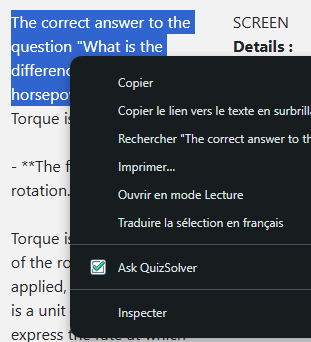
Reading an article or a lesson online? Select text, right-click, and choose Ask College Help AI to get an instant explanation. - Math & Code Support
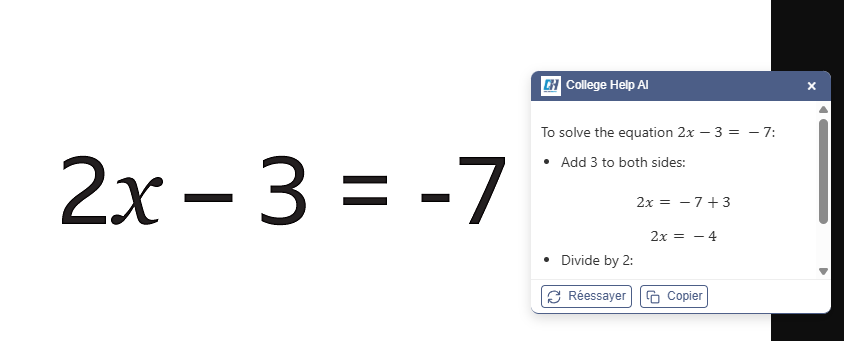
The extension gives step-by-step solutions, with clean equations and properly formatted code. It’s not just “here’s the answer, good luck”. - Multiple Languages
You can ask and get answers in your preferred language. Perfect if you study in English but want explanations in another language (or the opposite). - Ghost Mode
Makes answer boxes semi-transparent and fully visible only when you hover. Great when you’re screen-sharing or you just want a cleaner page.
All of this happens inside your browser, so you’re not jumping between five different apps to survive one assignment.
Let’s Talk About the Discount
Tools like this are powerful, but price matters, especially for students.
With AI College Help, you don’t only get features – you also get a reduced price on:
- Monthly plan – good if you want help for exam season or a busy semester:
https://collegehelpai.com/plans/monthly-plan/ - Annual plan – best value if you know you’ll be using a homework AI helper all year:
https://collegehelpai.com/plans/annual-plan/
Compared to juggling multiple separate tools (math app + code helper + generic AI chat), one discounted Chrome extension for homework is usually cheaper and definitely simpler.
Is Using AI College Help Cheating?
Used the wrong way, any AI tool can be misused.
Used the right way, AI College Help is more like a private tutor baked into your browser:
- It helps you understand the question, not just copy an answer.
- It shows you how to get there, especially for math and code.
- It gives you feedback so you can improve your own work.
The safest and smartest way to use it is as a study tool, not a copy-paste machine, and always within your school’s academic rules.
If you’re searching for:
- an AI homework solver for Chrome,
- a study assistant extension that works with quizzes, homework portals, PDFs, math, and code,
- and something that is actually affordable thanks to a current discount,
then AI College Help is very much worth a try.
=> Check the discounted plans here:
https://collegehelpai.com/plans/monthly-plan/
https://collegehelpai.com/plans/annual-plan/

You might also like